
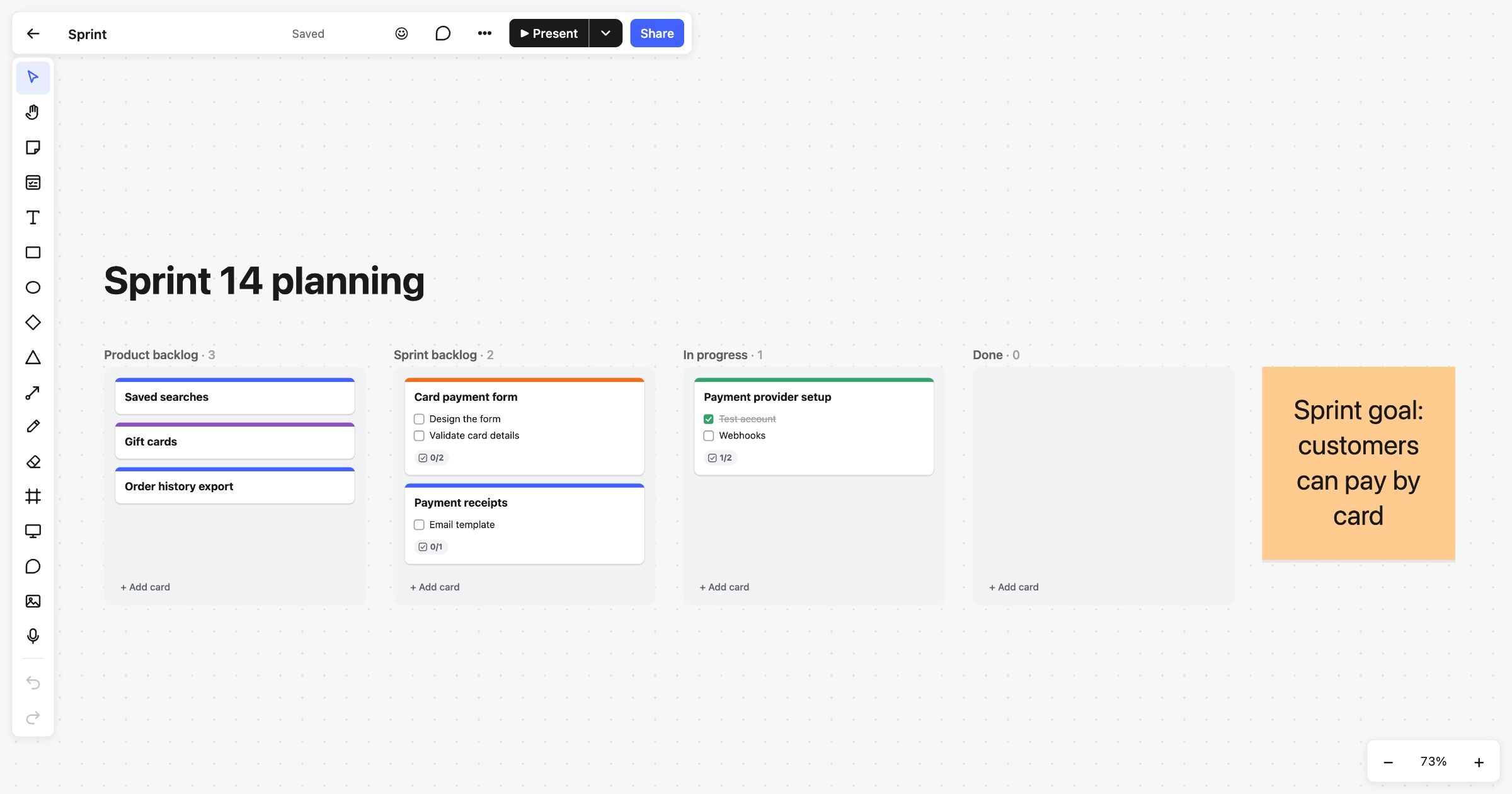
A Kanban board shows work moving from idea to done, one card at a time. Atomic Lab puts one on a whiteboard: columns that keep cards tidy, with all the freedom of the board around them. You can sketch a flow, run a retro and plan the sprint on the same page.
A whiteboard for agile teams
Most teams keep two tools: a whiteboard for thinking and a tracker for the work. The context gets lost on the way between them. In Atomic Lab, the plan sits next to the thinking that produced it. Sticky notes from the planning session stay beside the backlog, and a connector can link a card to the diagram it came from.
Cards with the details that matter
Press C and click to make a card. Press Enter or double-click to open it. A card has:
- A title and a note. Notes can hold tables: paste cells from a spreadsheet, or type one the Markdown way.
- A checklist, with its progress on the card, so “2/5” tells you where things are.
- People, so everyone can see who’s on it.
- A due date, which turns red once it’s passed.
- A colour, shown as a strip along the top.
Comments pinned to a card are listed inside it, so the discussion stays with the work.
Columns that stack and snap
Drop a card into a column and it snaps into place at the column’s full width. As you drag a card over a column, the cards part to show where it will land, and the column it left closes up. Columns grow as cards are added, columns side by side share one height, and each column’s title shows how many cards it holds.
A card’s column is its status. There’s no separate field to update.
- + Add card at the foot of a column adds work.
- Add column to the right, in a column’s right-click menu, adds a stage.
- Double-click a column’s title to rename it.
- Already using frames as columns? Right-click one and choose Stack cards as a column.
Sticky notes and shapes you put over a column stay where you put them, rather than being swept into the stack.
Move work from the keyboard
Select one or more cards, then press Alt+↑ or Alt+↓ to move them up and down their column, or Alt+← or Alt+→ to move them to the end of the next one. Each move is one step you can undo.
Keeping Done tidy
Right-click a finished card and choose Archive, or clear a whole column with Archive all cards at the end of a sprint. Archived cards collapse into an “Archived” row at the foot of their column. Click it to see them, and Restore puts a card back.
Across all your boards
My tasks lists every card and checklist item assigned to you, on every board you can see, grouped by when it’s due. Tick items off there and they’re ticked on the board. On the morning something is due, you get one email listing it all.
Start from a template
The Kanban board template starts with To do, In progress and Done. Sprint planning adds a sprint goal and a product backlog, and the product roadmap lays the work out as now, next and later. Each opens in one click, with no account.
Kanban columns are on every plan, including Free. Read more in Kanban on a whiteboard, or see how real-time collaboration keeps everyone’s view of the board in step.
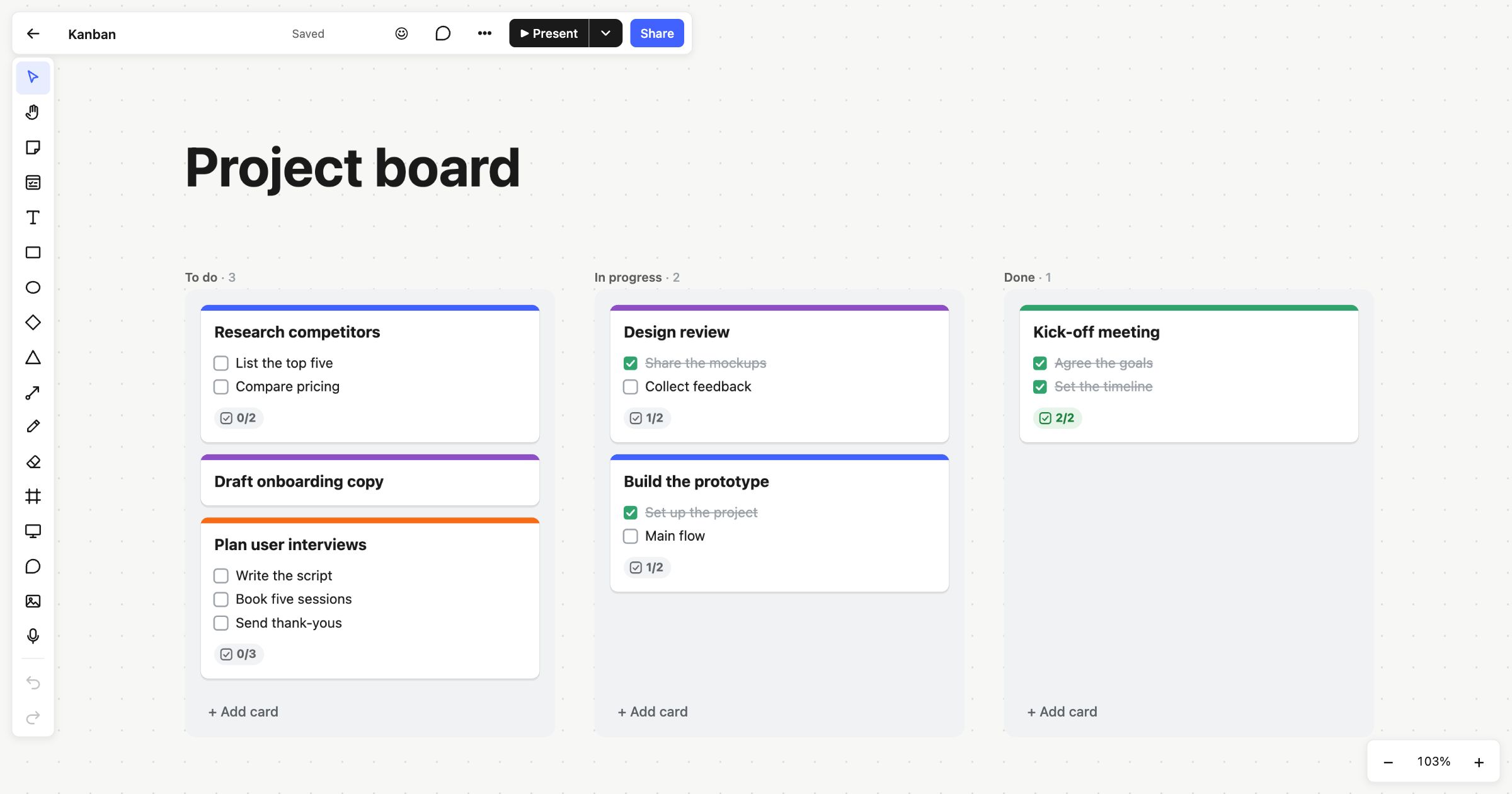 Kanban board
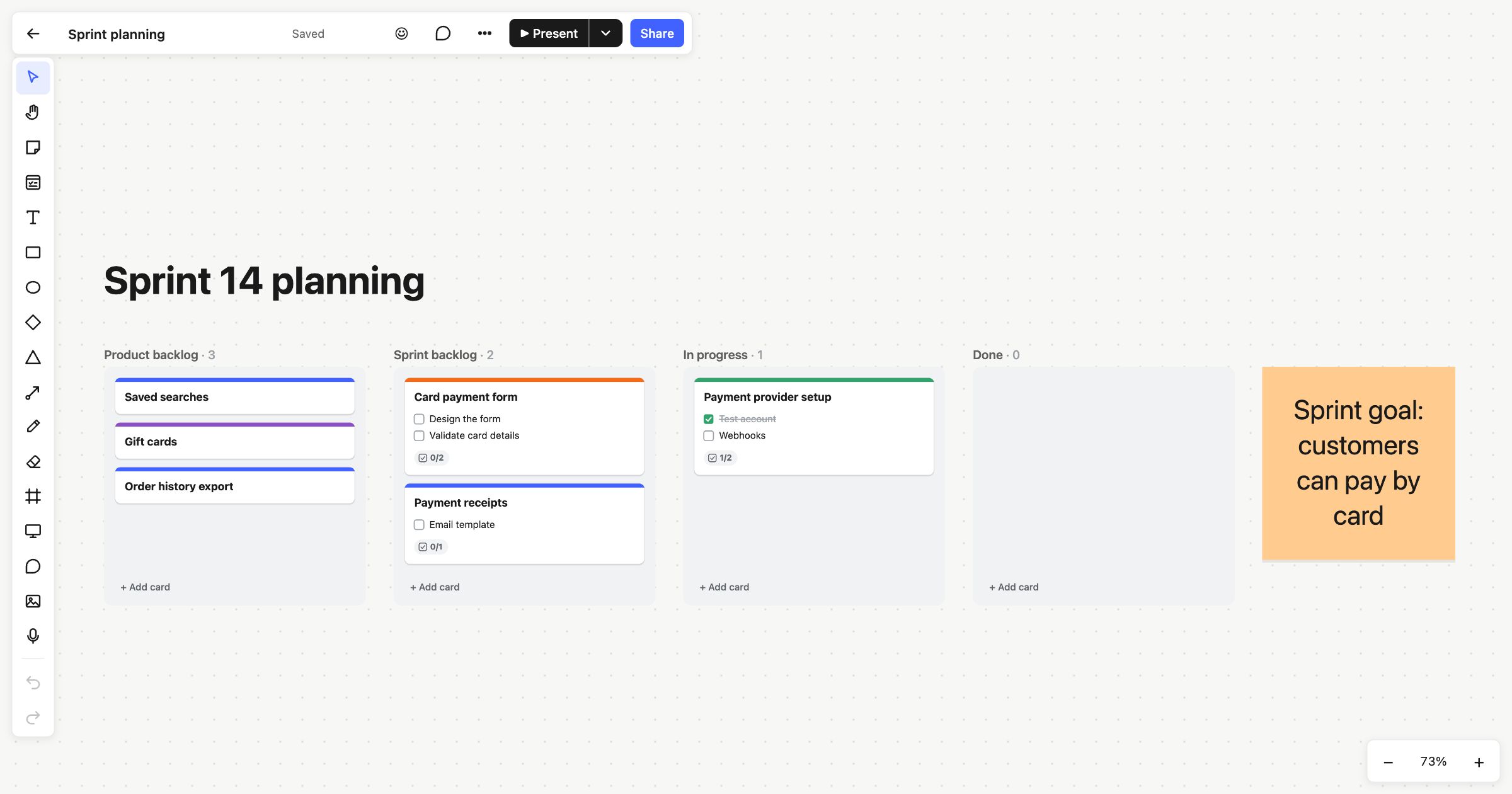 Sprint planning
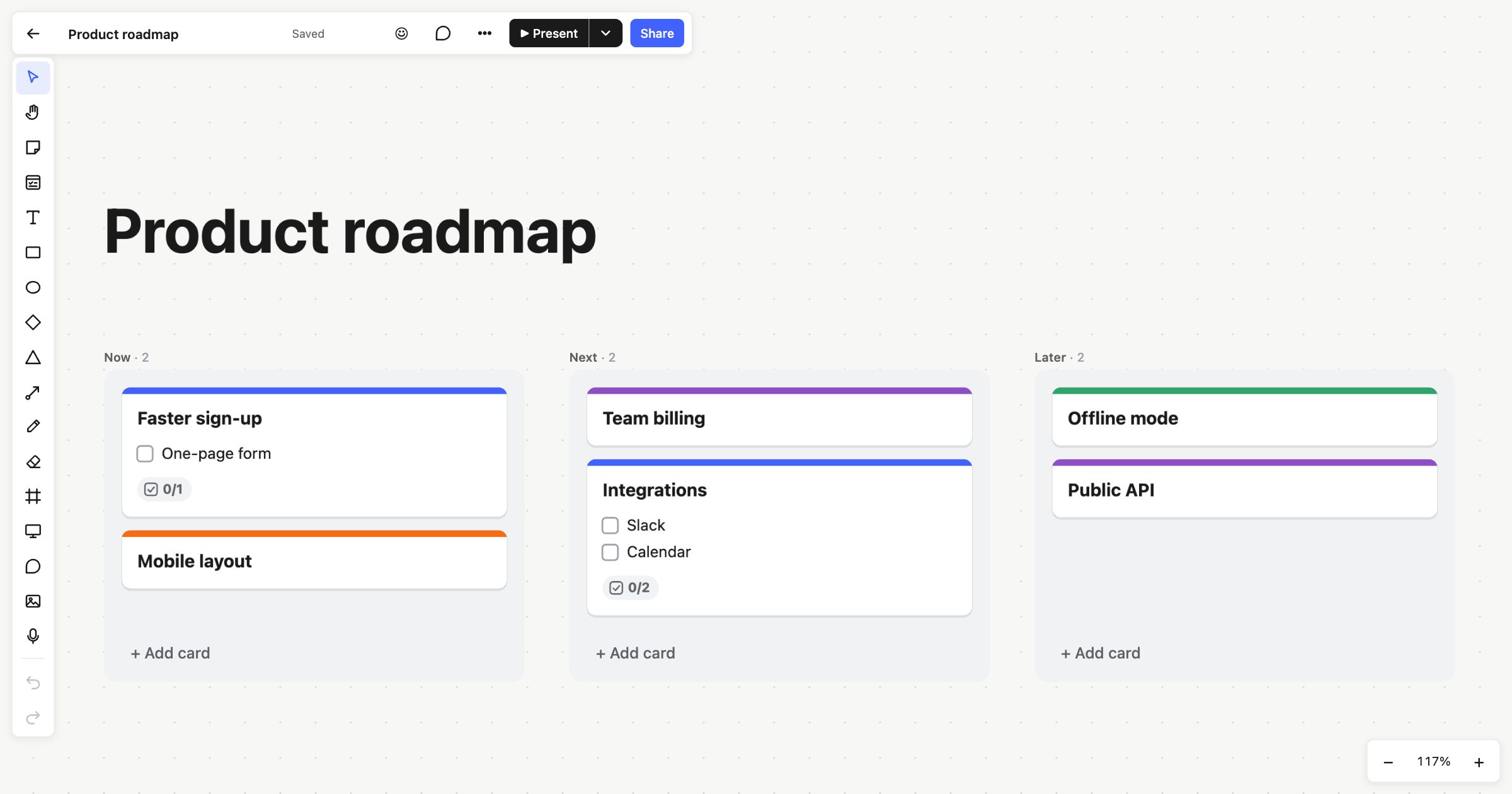 Product roadmap