
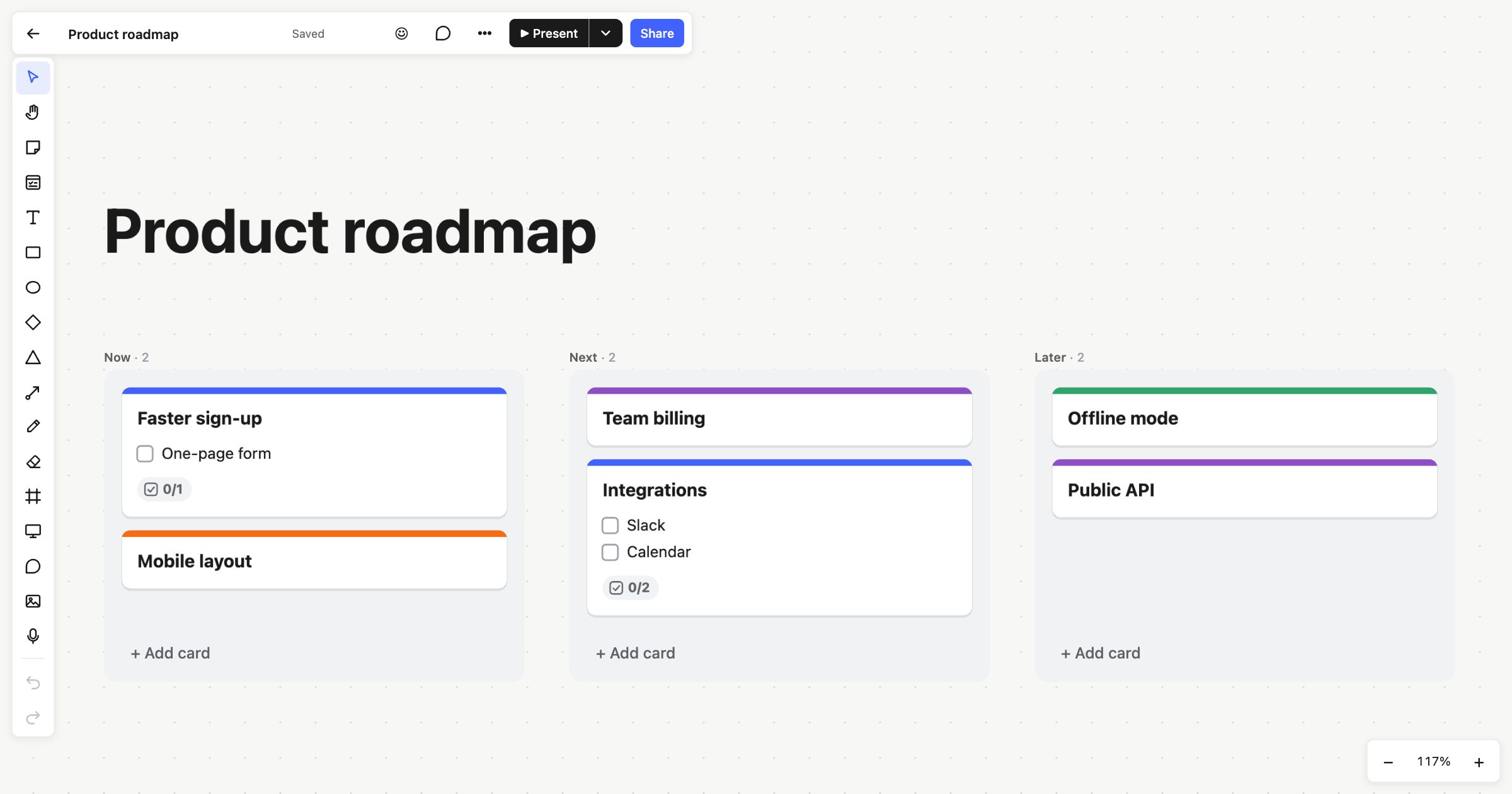
A product roadmap shows what you’re working on and what comes after, without pretending to know exact dates. This product roadmap template uses the simple Now, Next, Later format: three columns of cards, each card a piece of work. It suits product managers, founders and small teams who want a plan they can share and change without a project in a heavyweight tool.
When to use a product roadmap
- To agree priorities for the coming months with your team or stakeholders.
- When dates are uncertain, and you’d rather commit to an order than to deadlines.
- To explain to customers or investors where the product is heading.
- As a regular check-in: once a month, move cards along and ask what has changed.
How to run it
- List the candidates (15 minutes). Put every piece of work you’re considering on a card. Keep titles short and outcome-focused, like “Faster sign-up”.
- Sort into Now, Next and Later (15 minutes). Now is what’s in progress or starting soon. Next is what follows. Later is what you believe in but won’t start for a while.
- Order within each column (10 minutes). The top of each column is the most important. Be honest about what fits in Now.
- Add detail where it helps (10 minutes). Give the cards in Now a checklist of the main steps, a person and, if you have one, a due date.
- Review it regularly. As work finishes, move cards up from Next and Later.
What’s on the template
The board is titled “Product roadmap” and has three Kanban columns: Now, Next and Later, each showing how many cards it holds. There are six example cards, such as “Faster sign-up” with a “One-page form” checklist item and “Integrations” with “Slack” and “Calendar”. “Offline mode” and “Public API” sit in Later. The cards have coloured tops you can change, and each column has + Add card at the bottom.
Tips
- Move cards from the keyboard. Select a card and press Alt+← or Alt+→ to move it to the next column, or Alt+↑ and Alt+↓ to reorder. Read more in Kanban columns.
- Add a stage. Right-click a column and choose Add column to the right, for example for “Done” or “Exploring”.
- Share it read-only. Publish the board to the web and anyone with the link sees the latest roadmap, live, without an account. You can turn the link off whenever you like.
When it’s time to break Now into tasks, use sprint planning or a Kanban board. A user story map helps decide what goes in each release.
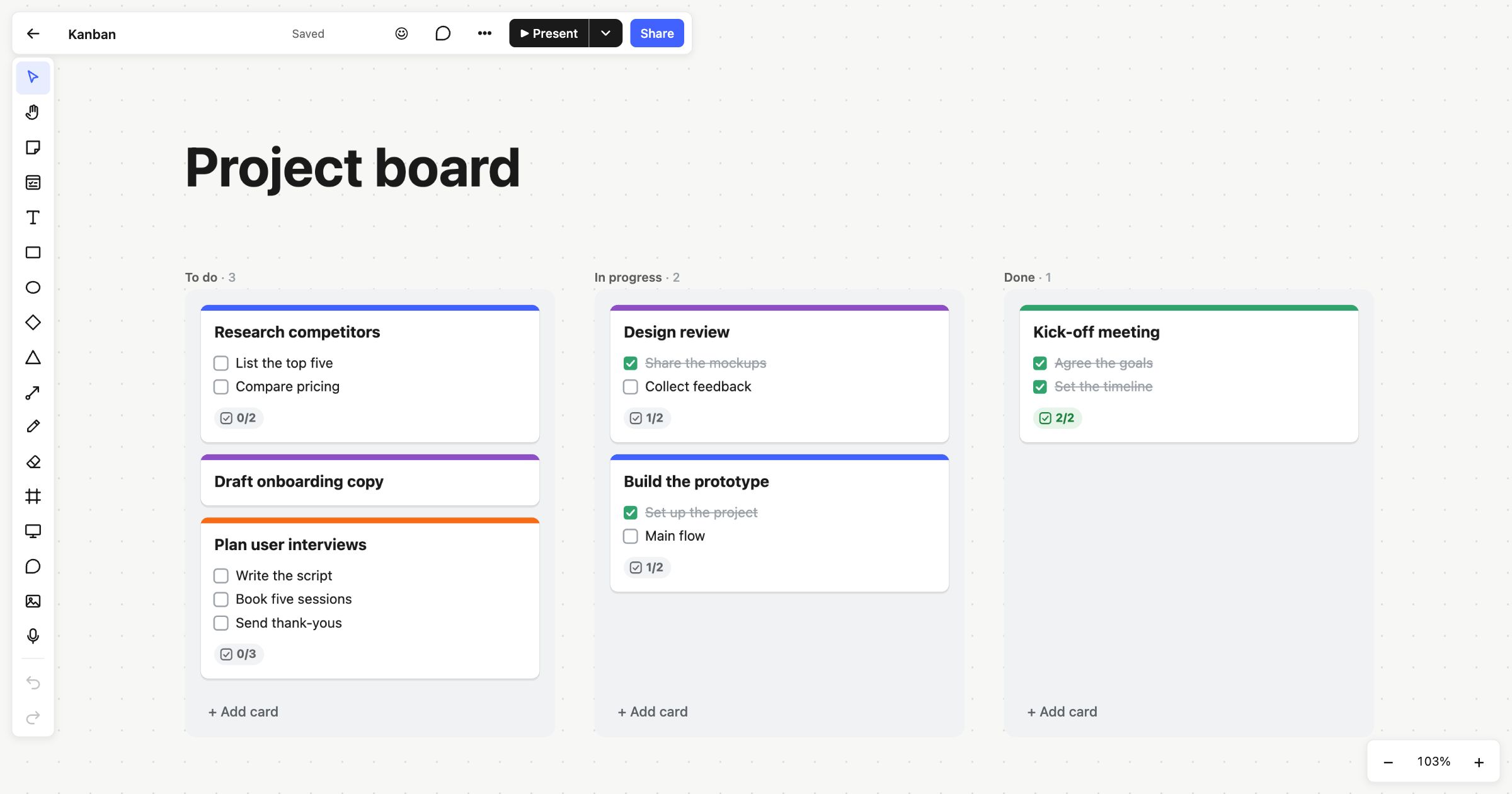 Kanban board
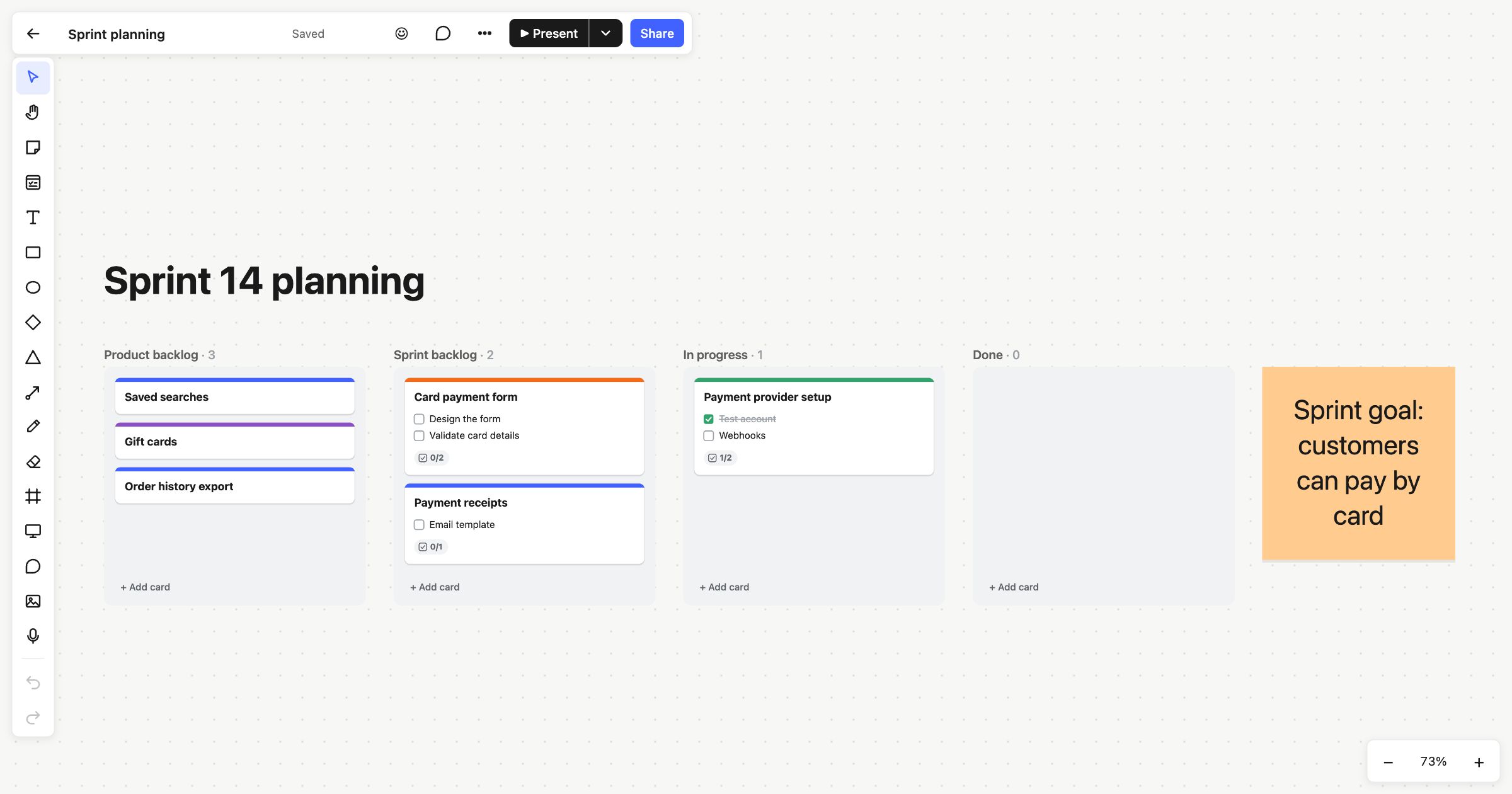 Sprint planning
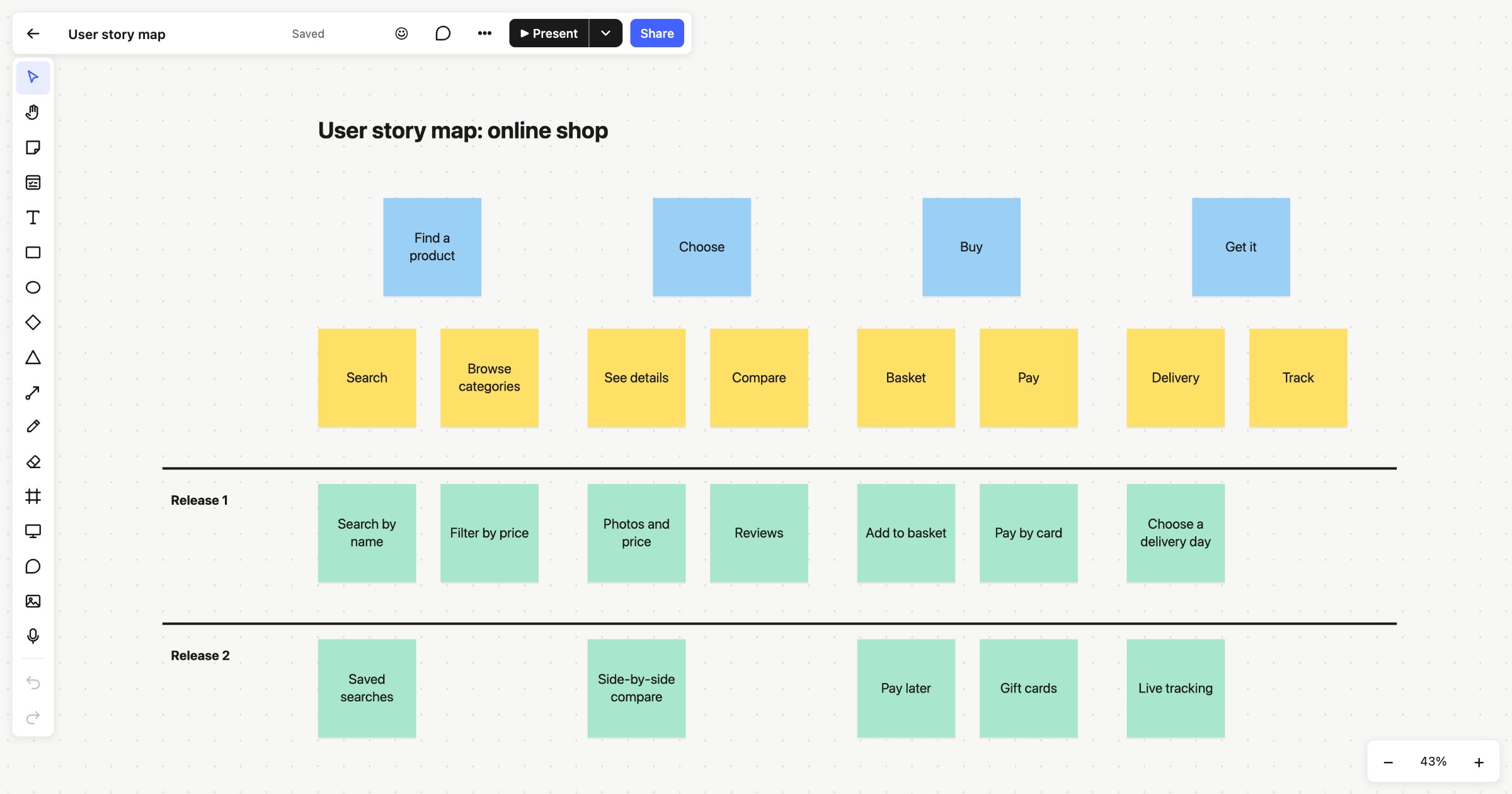 User story map