
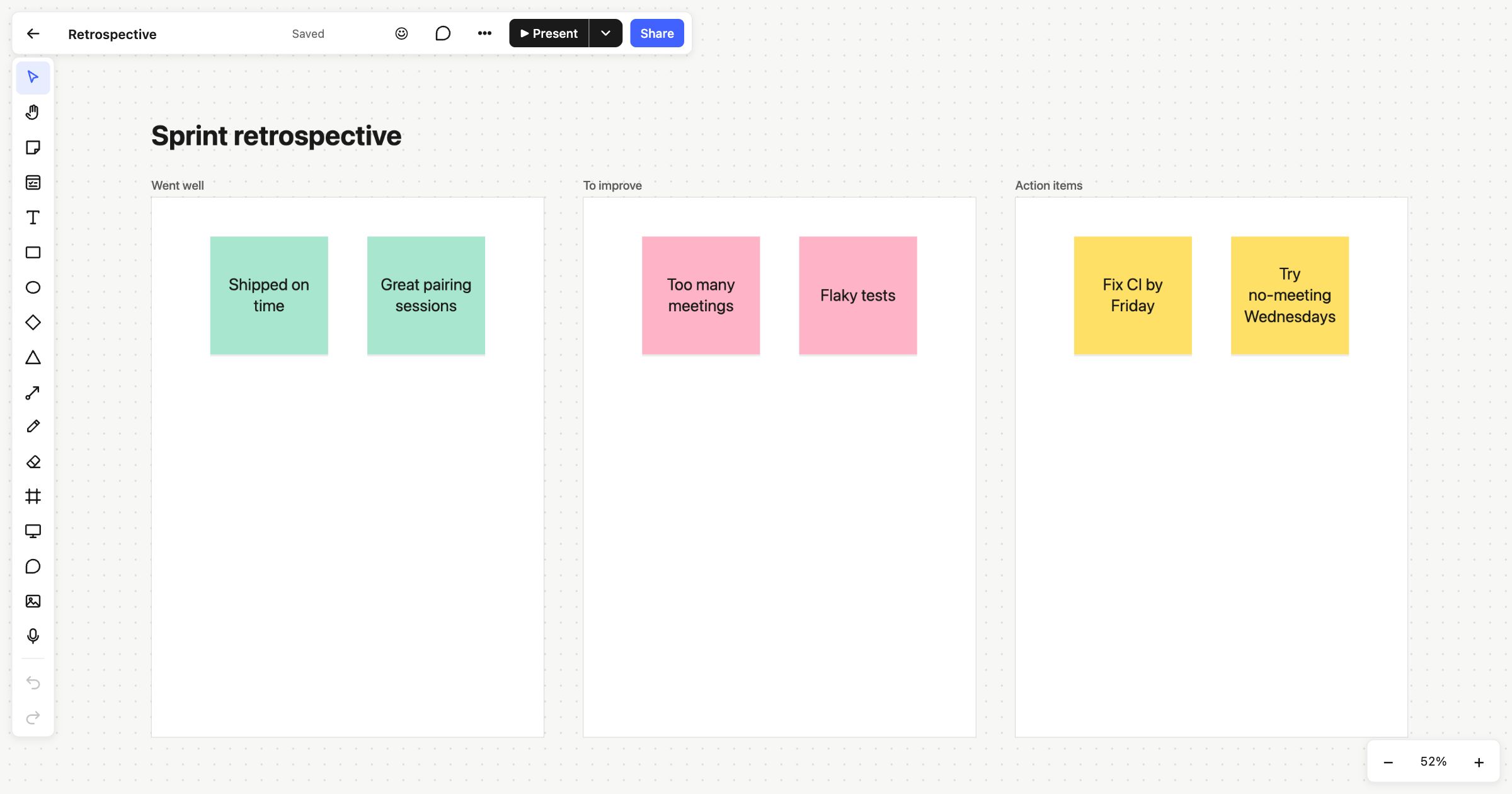
A sprint retrospective is a short meeting at the end of a sprint where the team looks back at how it went and agrees what to change. This sprint retrospective template keeps it simple: what went well, what to improve, and the actions you’ll take. It works in the room, and it works just as well for remote teams who meet on a call.
When to run a sprint retrospective
Run one at the end of every sprint, before planning the next. It’s also useful after a release, an incident or any piece of work that took longer than expected. The aim isn’t to assign blame. It’s to find one or two changes that will make the next sprint a little easier.
How to run it
- Set the scene (2 minutes). Remind everyone which sprint you’re looking back on and what its goal was.
- Add notes in silence (5–10 minutes). Everyone writes sticky notes for “Went well” and “To improve”. One point per note.
- Read and group (10 minutes). Go through each column together. Drag duplicates next to each other so similar points sit in clusters.
- Vote (5 minutes). Give each person three votes for the “To improve” notes that matter most.
- Agree actions (10 minutes). Take the top two or three and write an action for each in “Action items”, with a name and a date.
- Close (2 minutes). Check last sprint’s actions were done before you finish.
What’s on the template
The board is titled “Sprint retrospective” and has three columns, each a frame you can resize:
- Went well, in green: “Shipped on time” and “Great pairing sessions”.
- To improve, in pink: “Too many meetings” and “Flaky tests”.
- Action items, in yellow: “Fix CI by Friday” and “Try no-meeting Wednesdays”.
Replace the examples with your own, or delete them and start clean.
Retrospectives for remote teams
Everyone on the board sees changes and cursors live, so a remote team can add notes at the same time. A few built-in workshop tools help a remote retro keep its pace:
- A shared timer everyone can see, for 1, 3, 5 or 10 minutes, so the silent writing has a clear end.
- Voting, where each person gets a set number of votes and the counts stay hidden until the vote ends.
- Follow someone’s view by clicking their avatar, so the team can watch while the facilitator walks through each column.
On the Free plan one person edits, and teammates in the workspace can view, vote and comment. For everyone to add their own notes, the Team plan lets every member edit, and guests are free.
For a different angle on the same meeting, try the start, stop, continue template, mad, sad, glad or the 4Ls retrospective.
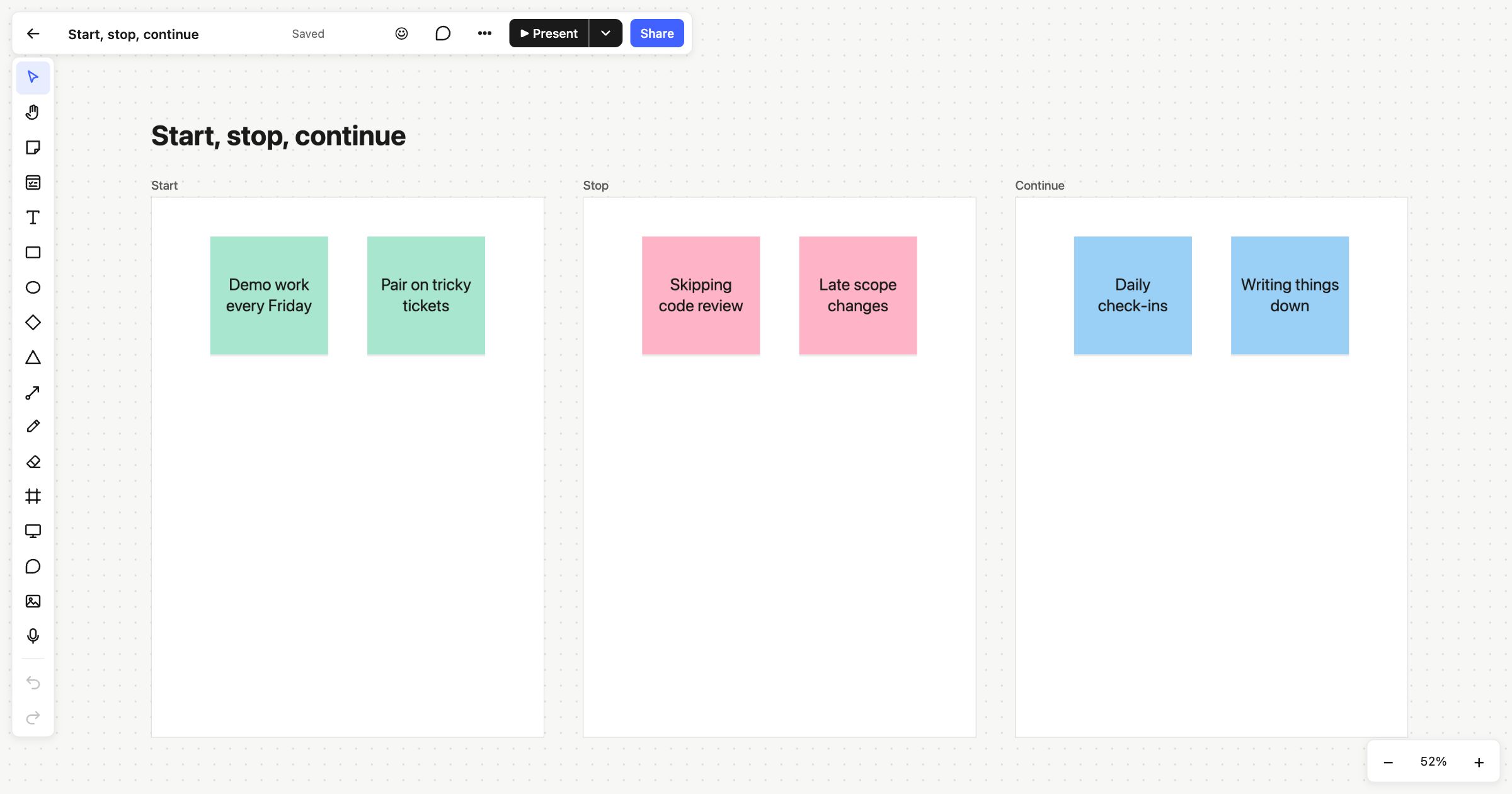 Start, stop, continue
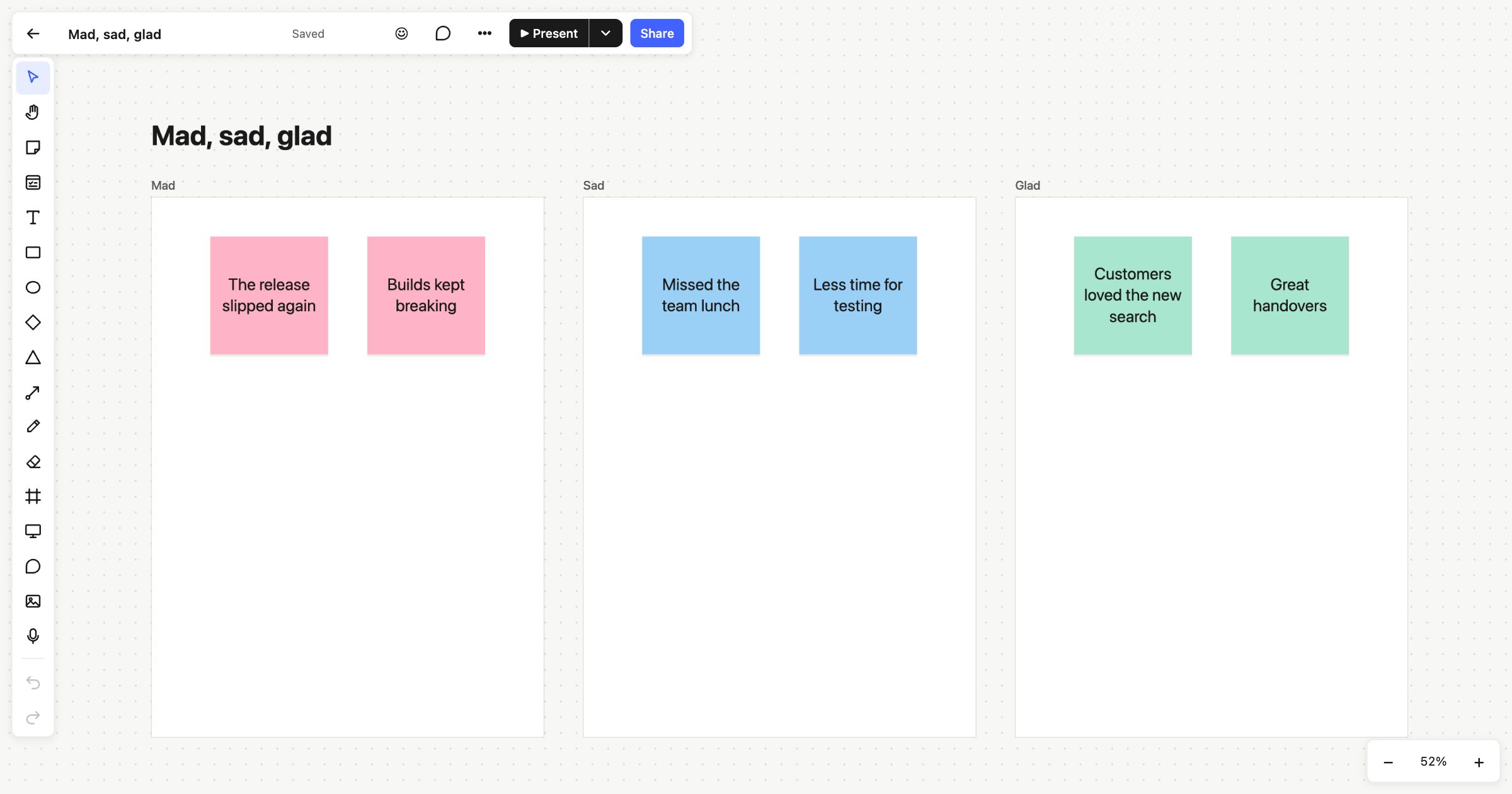 Mad, sad, glad
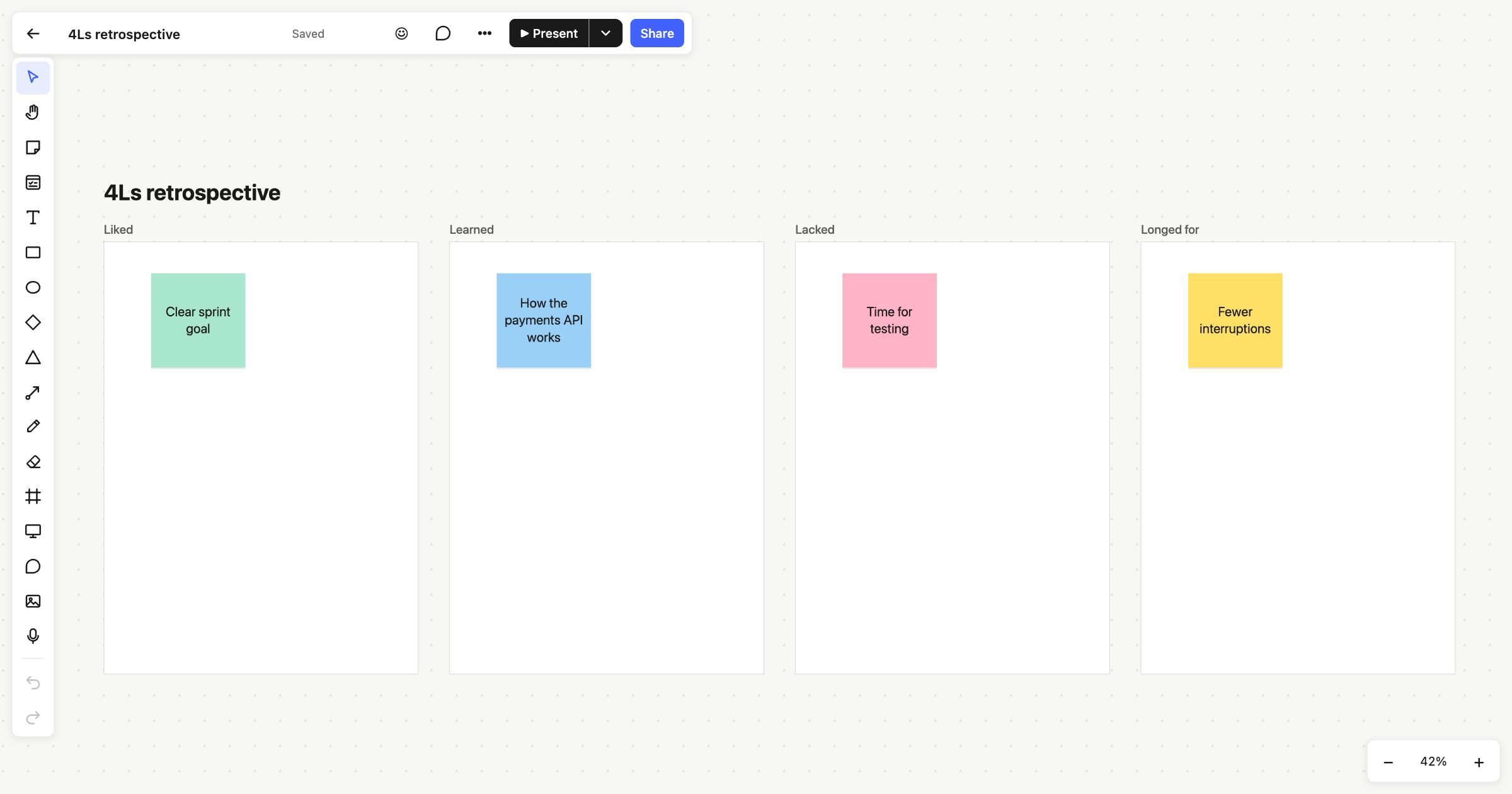 4Ls retrospective