
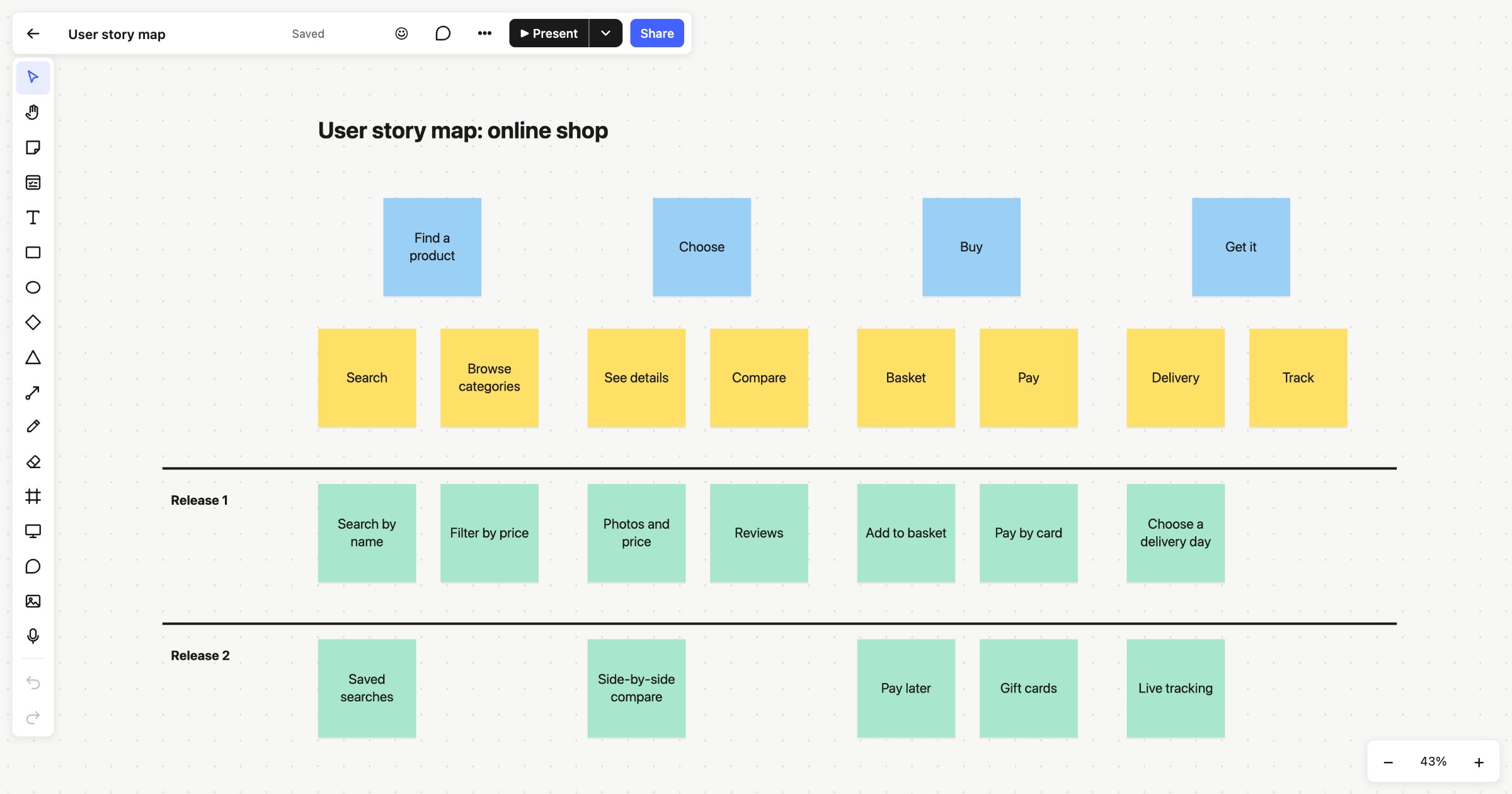
A user story map lays out everything a person does with your product, from left to right, with the detail underneath. It helps a team see the whole journey at once and then slice it into releases. This user story map template is set up for an online shop, with the backbone, the steps and two release lanes already in place.
When to use a user story map
Use it when you’re planning a new product or a large feature and a flat backlog has stopped making sense. A story map shows how the pieces fit together, which makes it easier to spot gaps and to agree what belongs in a first release. It’s a good exercise for product managers, designers and developers to do together.
How to run it
- Write the backbone (10 minutes). Across the top, add the big activities a user goes through, in order. Use verbs: “Find a product”, “Buy”.
- Add the steps (10–15 minutes). Under each activity, add the steps that make it up.
- Fill in the stories (20 minutes). Under each step, add the stories: the specific things the product needs to do. Put the most essential at the top.
- Slice into releases (15 minutes). Move stories into release lanes. Release 1 should be the thinnest slice that still lets someone get from start to finish.
- Check the walk-through. Read Release 1 from left to right as if you were the user. If there’s a step you can’t complete, something’s missing.
What’s on the template
The board is titled “User story map: online shop”. It has four parts:
- Activities, in blue across the top: “Find a product”, “Choose”, “Buy” and “Get it”.
- Steps, in yellow beneath them, two per activity, such as “Search”, “Browse categories”, “Basket” and “Pay”.
- Release 1, in green below a line, with stories such as “Search by name”, “Filter by price”, “Pay by card” and “Choose a delivery day”.
- Release 2, below a second line, with “Saved searches”, “Side-by-side compare”, “Pay later”, “Gift cards” and “Live tracking”.
The release lines are thin shapes, so you can stretch them or add another for Release 3.
Tips
- Keep it on the same board as the plan. When a release is agreed, add a row of Kanban columns beside the map and turn its stories into cards.
- Use find. On a big map, ⌘F (Ctrl+F) searches every note on the board.
- Share it read-only. Publish the board to give stakeholders a live link they can open without an account.
When the release is ready to plan, move on to the sprint planning template or the product roadmap template. To understand the user first, try the customer journey map.
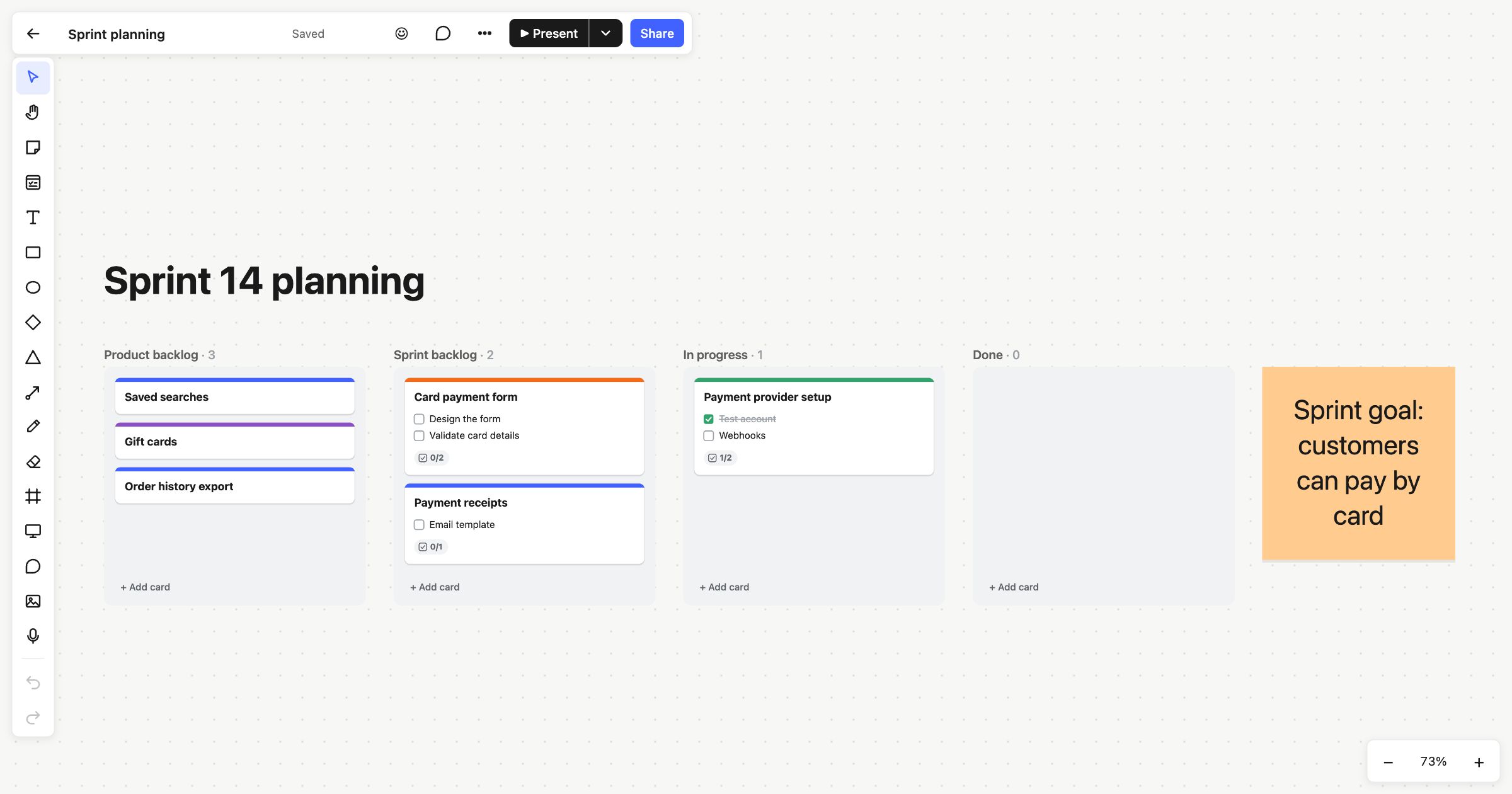 Sprint planning
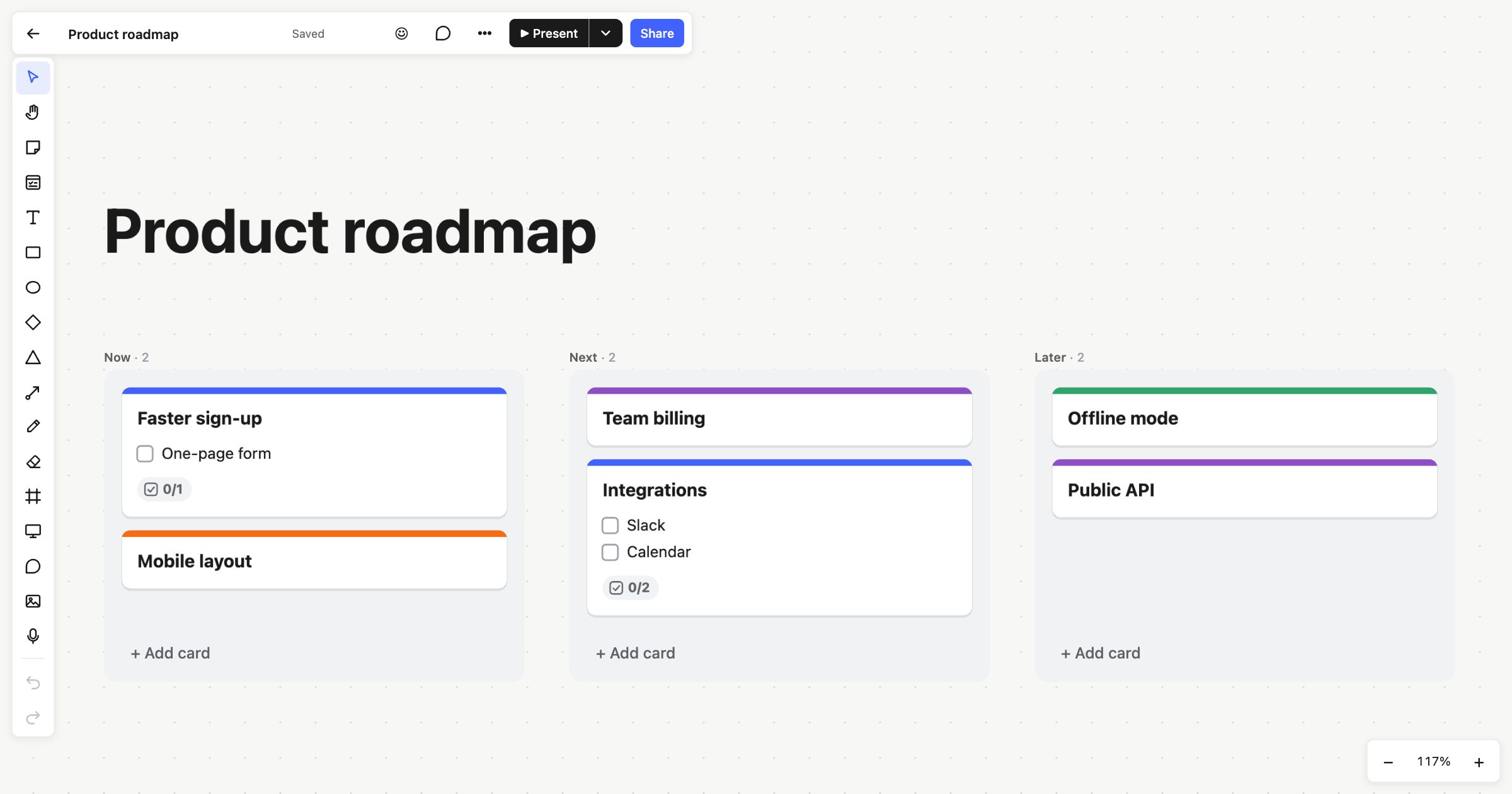 Product roadmap
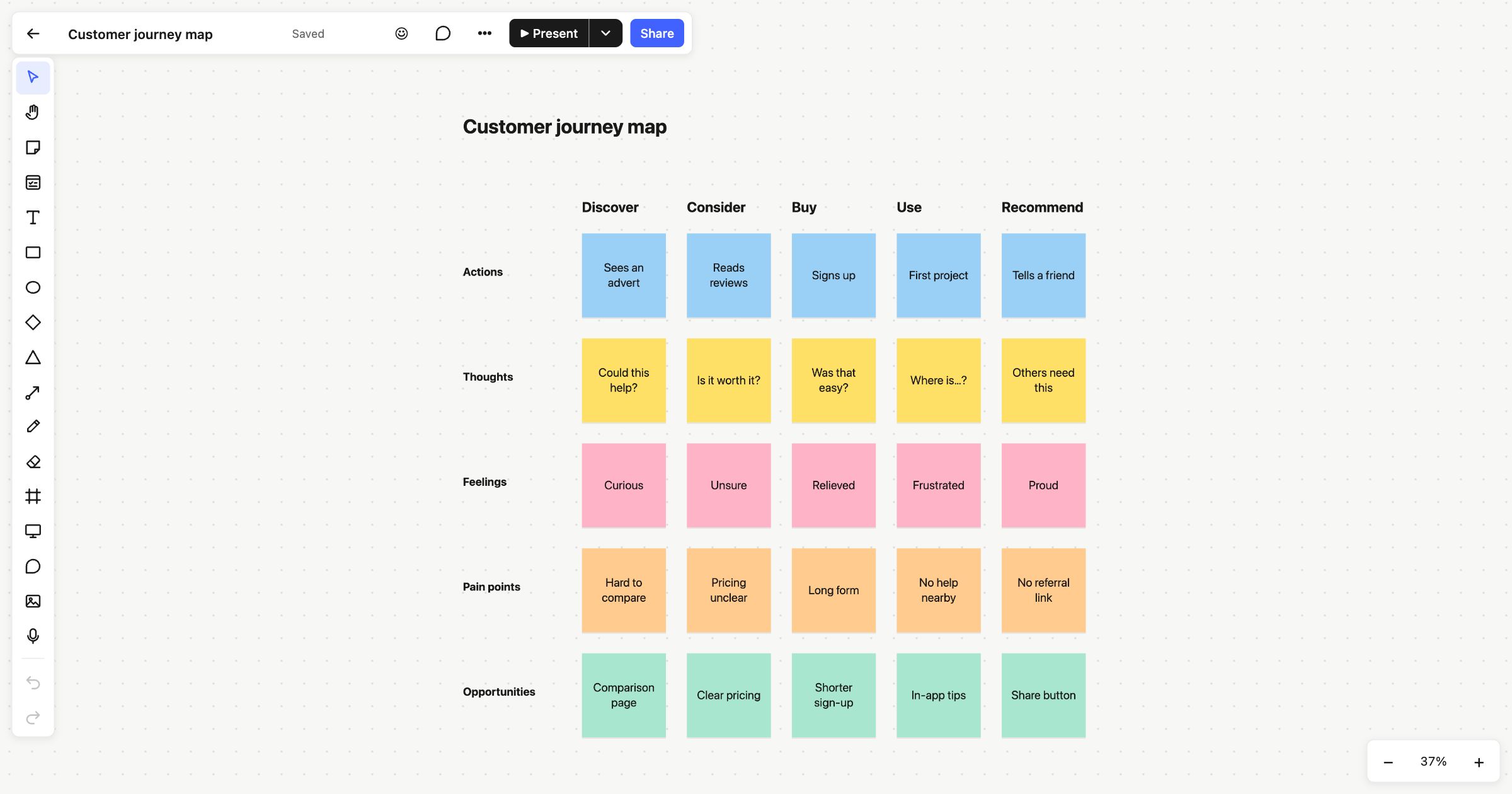 Customer journey map