
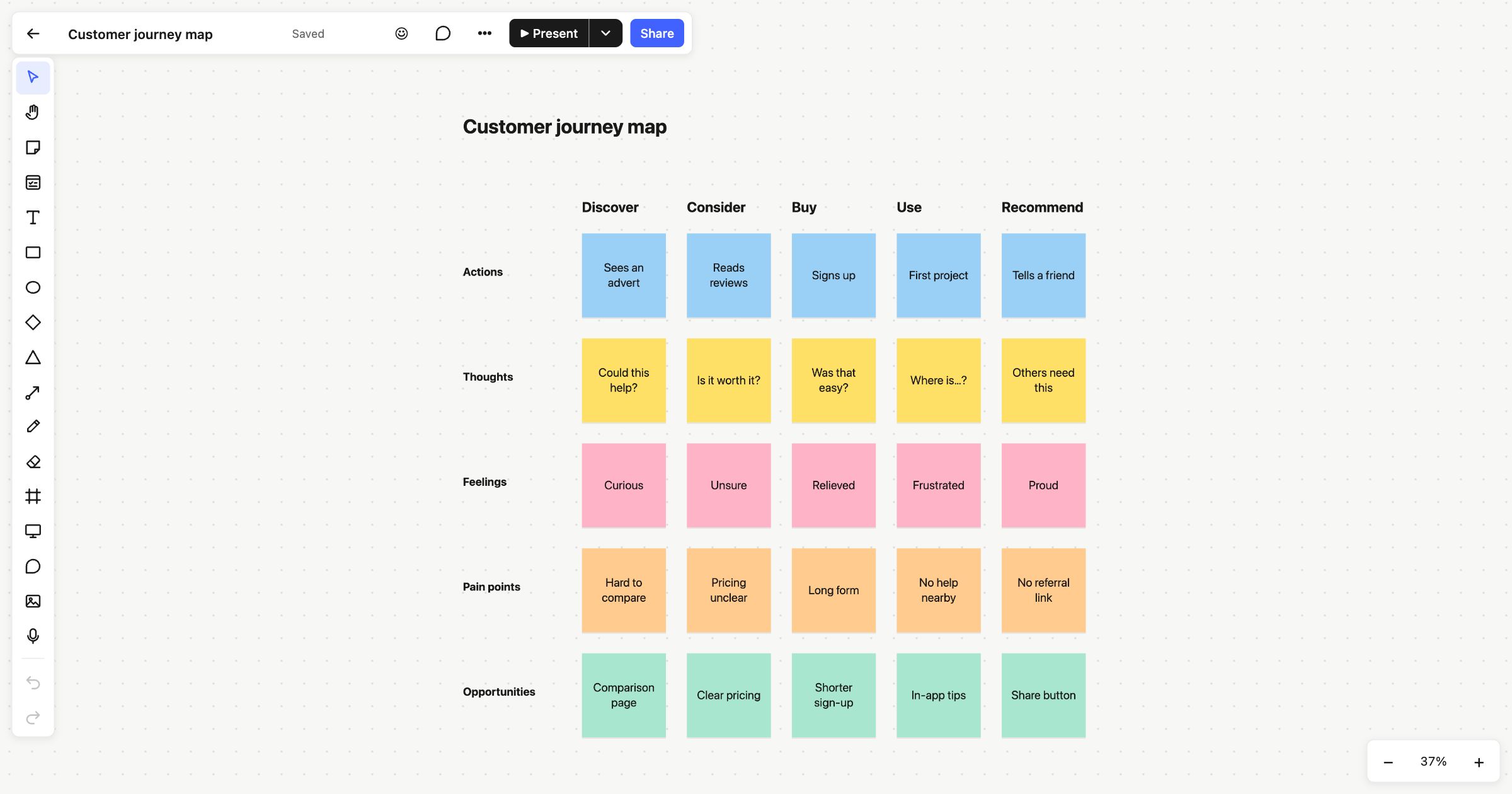
A customer journey map follows one customer through every stage of their experience with you, from first hearing about you to telling a friend. At each stage it records what they do, think and feel, where things go wrong, and what you could do about it. This customer journey map template sets that grid up for you: five stages across, five rows down.
When to use a customer journey map
Use it when you want to see your product or service from the customer’s side. It’s useful before a redesign, when sign-ups or renewals drop and nobody’s sure why, or when different teams own different parts of the experience and no one sees all of it. It works best grounded in real evidence: interview notes, support tickets, reviews and analytics.
How to run it
- Pick one customer (5 minutes). Choose a single type of customer and one goal. Mapping everyone at once blurs the picture.
- Set the stages (5 minutes). Rename the five stage headings to match your customer’s path.
- Fill in actions (10 minutes). What does the customer actually do at each stage? Stick to what you’ve seen or heard.
- Add thoughts and feelings (10–15 minutes). What are they asking themselves? How do they feel? Quotes from research work well here.
- Find the pain points (10 minutes). Mark where the experience breaks down, then vote on the ones that hurt most.
- Write opportunities (10 minutes). For each pain point you chose, add an idea for fixing it.
What’s on the template
The board is titled “Customer journey map”. Across the top are five stages: Discover, Consider, Buy, Use and Recommend. Down the side are five rows, each in its own colour, with a sticky note in every cell:
- Actions: from “Sees an advert” to “Tells a friend”.
- Thoughts: “Could this help?”, “Is it worth it?”, “Was that easy?”, “Where is…?” and “Others need this”.
- Feelings: “Curious”, “Unsure”, “Relieved”, “Frustrated” and “Proud”.
- Pain points: such as “Pricing unclear” and “Long form”.
- Opportunities: such as “Clear pricing” and “Shorter sign-up”.
Read down a column to see one moment in full, or along a row to see how a feeling changes over the whole journey.
Tips
- Add the evidence. Drop screenshots and images onto the board beside the stage they belong to, or record a short audio clip summarising an interview.
- Keep questions on the map. Pin a comment to any note that needs checking, and @mention the person who knows.
- Share it widely. Publish the board for a live, read-only link anyone can open, or export it as a PDF.
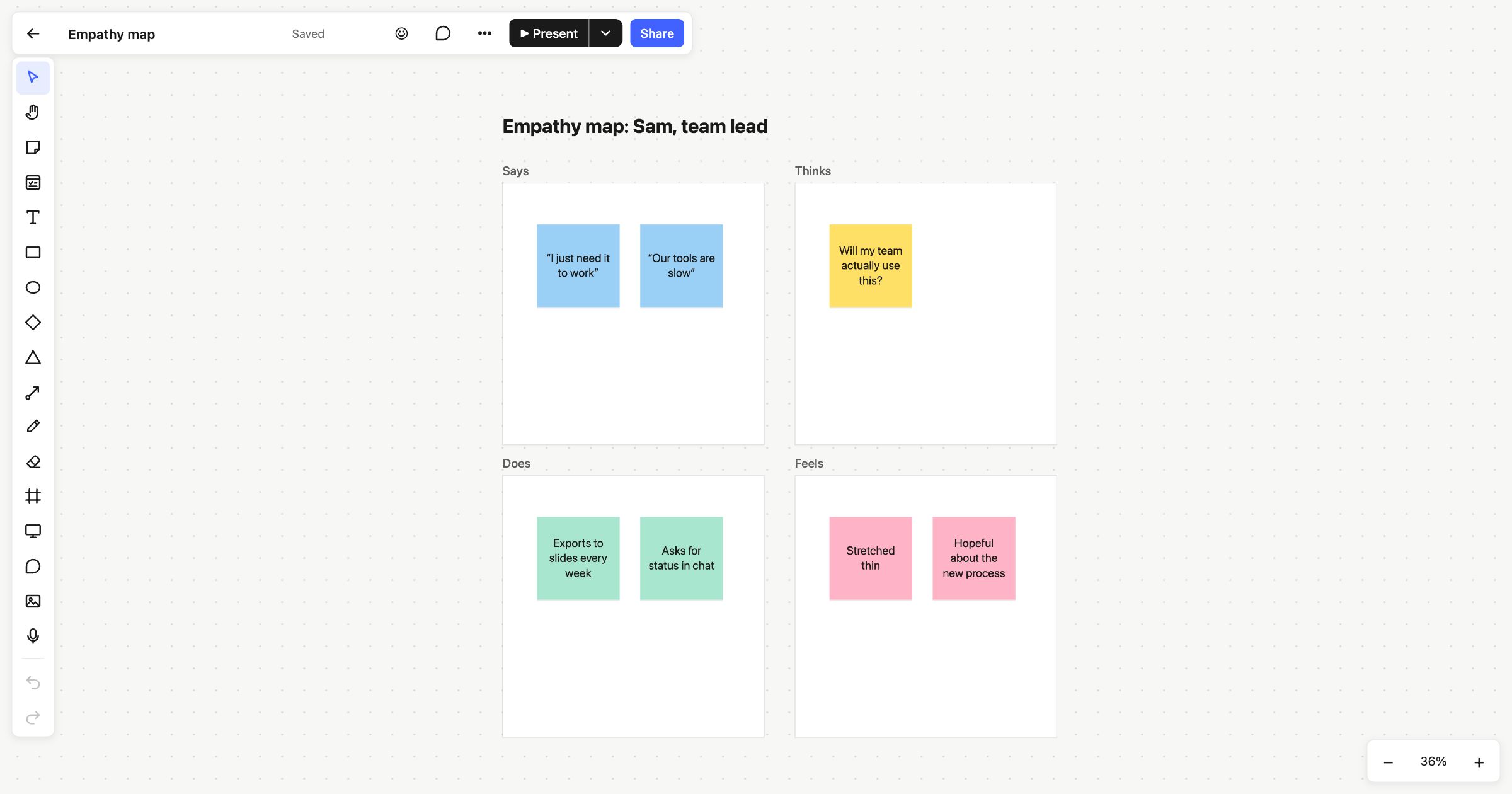
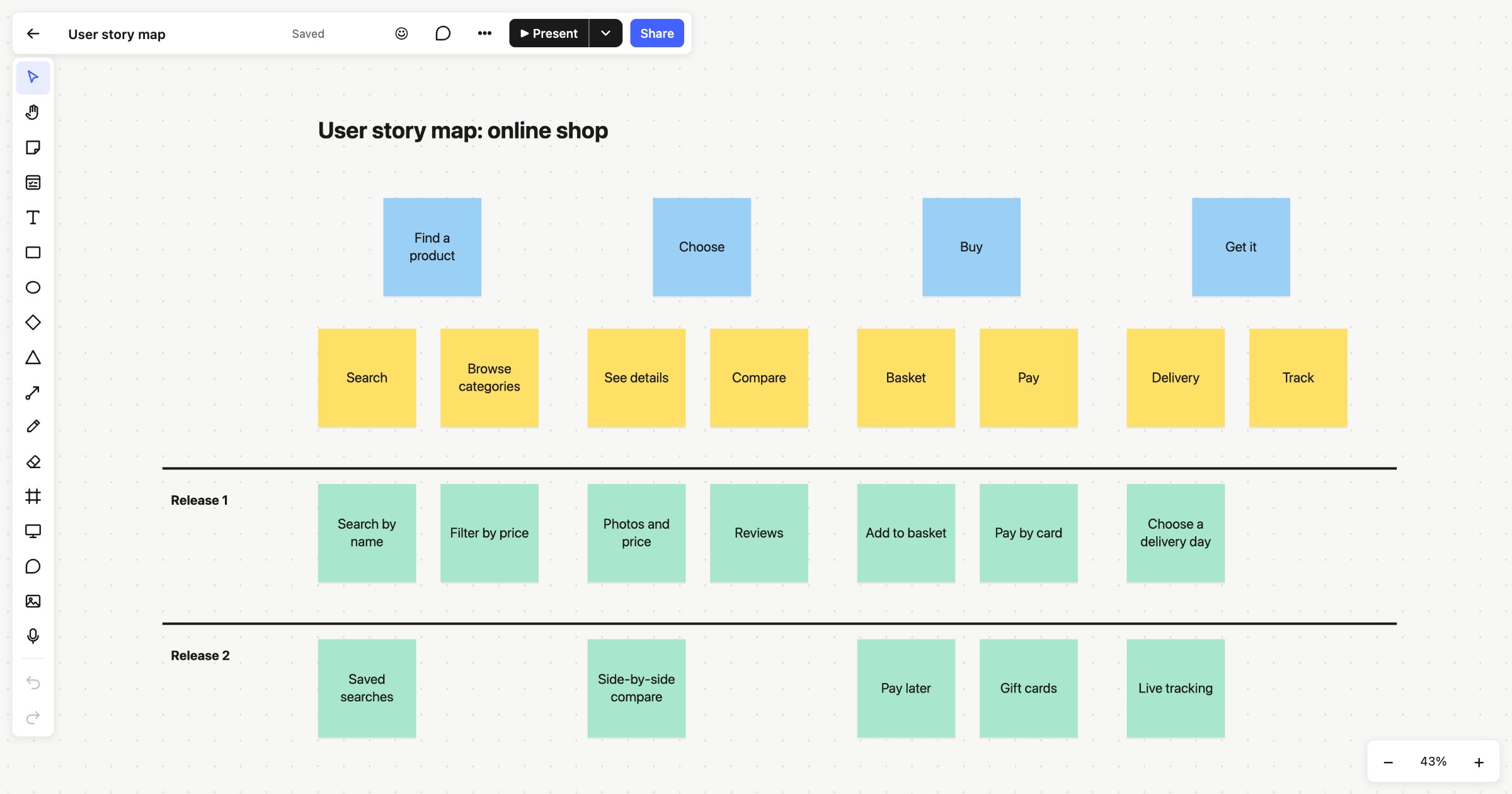
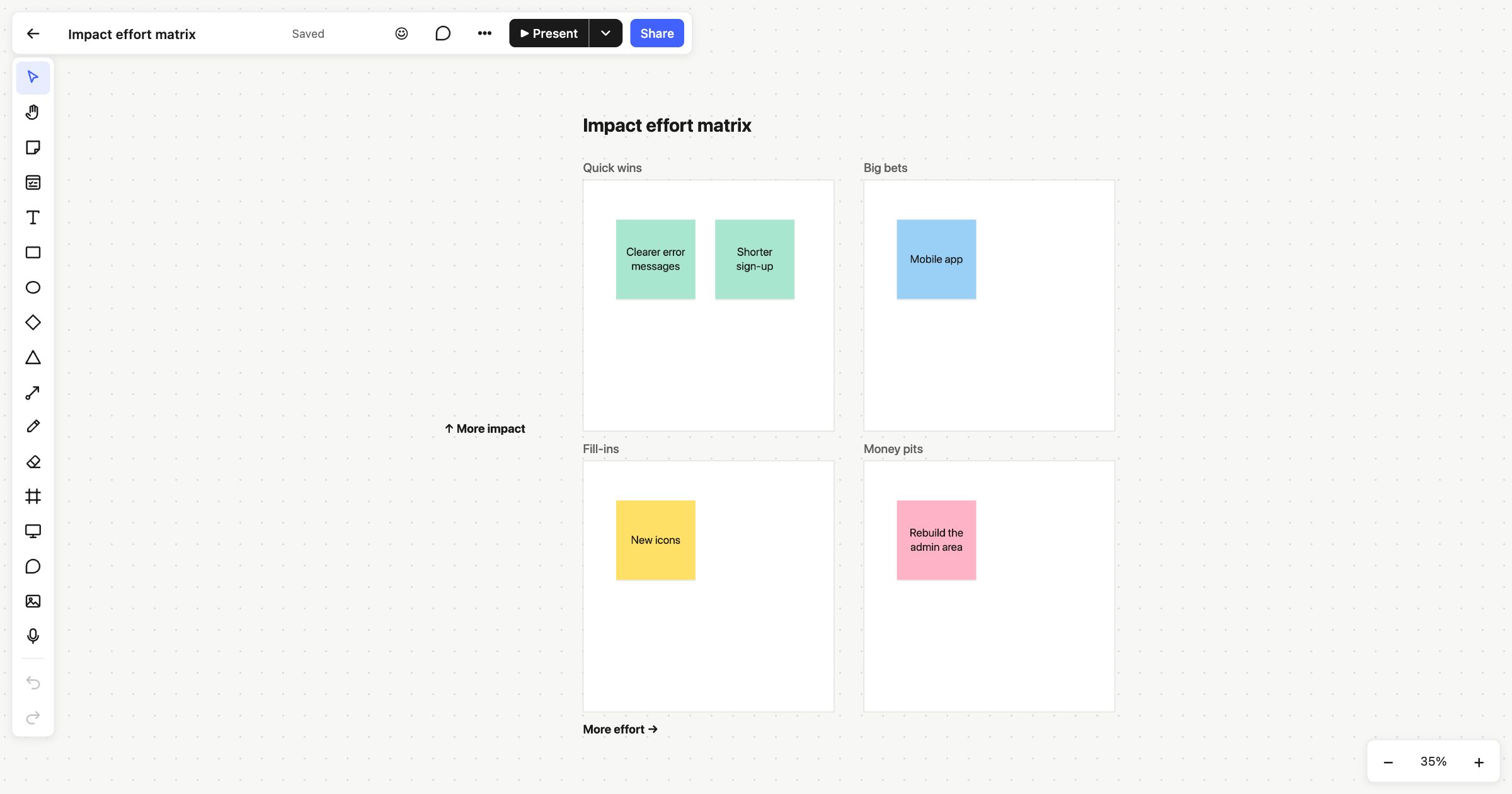
Before you map the journey, an empathy map helps you understand who’s on it. To turn opportunities into a plan, try the user story map or the impact effort matrix.
 Empathy map
 User story map
 Impact effort matrix